- What is the SoCalGas University portal and how do I use it to find learning and development opportunities?
The SoCalGas University (SCGU) portal serves as a centralized hub for professional development opportunities across the organization. Available resources include instructor-led classes, interactive webinars, and a wide range of online learning tools. The portal is organized into four primary categories: Know the Business, Grow Your Skills, Lead Your Team, and Manage Your Career. Within each category, resources are further organized by topic, making it easy to identify and access the learning materials that best align with your development needs.
Click here to learn more about the SCGU portal.
- How do I register for classes in My Info?
- Login to My Learning and search for your course using the the course code, or course title.
- Click the desired course title.
- Request the course to add it to your Transcript.
Click here for a detailed job aid with step-by-step instructions.
If you have any questions, email SoCalGasU@semprautilities.com for more information.
- What is getAbstract and how do I use it?
getAbstract is a comprehensive online library featuring more than 8,000 concise, five-page summaries of leading business books. Curated to highlight the most impactful and relevant titles, these resources provide essential insights to support professional growth and career success.
Click here to learn more about getAbstract.
If you have any questions, email SoCalGasU@semprautilities.com for more information.
- How do I sign-up for LinkedIn Learning classes?
- Email LinkedInLearningAdmin@sempra.com to request a new account.
- Login to My Learning and explore the available courses by searching with relevant keywords.
- Click the desired course title.
- Request the course to add it to your Transcript.
- To take the course, login to My Learning and launch the course.
Click here to learn more about LinkedIn Learning.
If you have any questions, email LinkedInLearningAdmin@sempra.com for more information.
- If there is no cost associated with a learning opportunity, do I still need to tell my manager?
Yes. We highly recommend that you discuss your development goals with your manager, and get approval for any class attendance that may take you away from your normal duties.
- Are there resources available for me if I'm a represented employee?
Yes. We invite you to look at the opportunities on the newly designed Management and Associate Preparation Program (MAPP) portal.
- How do I request a specific class for my entire team?
Please send an email to SoCalGasU@semprautilities.com and we'll work with you to find a solution that best meets your needs.
- How do I reserve a room at the Monterey Park Learning Center?
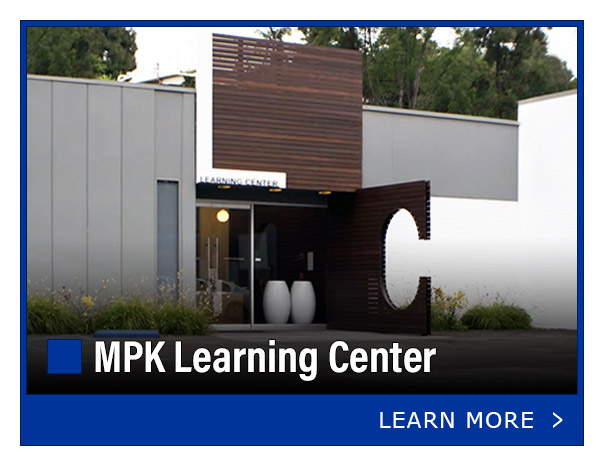
Room reservations for the larger conference rooms at the Monterey Park Learning Center are managed through the Facilities website. Instructions for using this reservation system can be found here. Smaller conference rooms can be reserved through Outlook.
Click here to learn more about the Monterey Park Learning Center.
- Who teaches the instructor-led classes?
Click here to learn more about the SoCalGas University (SCGU) faculty. Additionally, some courses are taught by external instructors who are experts in their fields.
- Does SoCalGas have a tuition reimbursement program?
Yes. Click here to learn more about the Professional Development Assistance Program (PDAP), SoCalGas' tuition reimbursement program.
- I'm a people leader, are there any resources available to me?
To access leadership resources, navigate to the Lead Your Team section. There you will find a variety of classes and tools designed to support your growth. The LEAD Program is a great place to start your leadership development journey.

 Not finding what you're looking for? Contact us today!